-
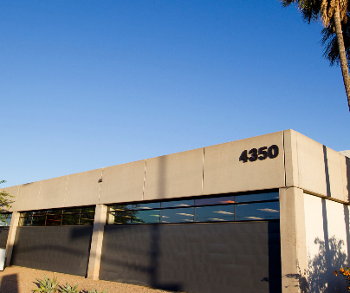
This class will teach entry-level computer skills. Participants will learn how to open a web browser, navigate internet searches, access and use email, basic computer safety, and more!
Free


|
M
Monday
|
T
Tuesday
|
W
Wednesday
|
T
Thursday
|
F
Friday
|
S
Saturday
|
S
Sunday
|
|---|---|---|---|---|---|---|
2 events,
-
This class will teach entry-level computer skills. Participants will learn how to open a web browser, navigate internet searches, access and use email, basic computer safety, and more!
Free
-

30-minute, one-on-one instruction sessions are available for assistance with introductory software, creating email accounts, downloading eBooks and eAudiobooks, résumé development, online job applications, and more. Tutoring check-in is at the reference desk. Registration is required for all sessions. Register by calling 928-213-2331 or visiting the reference desk at the downtown library to check session availability.
Free
|
2 events,
-
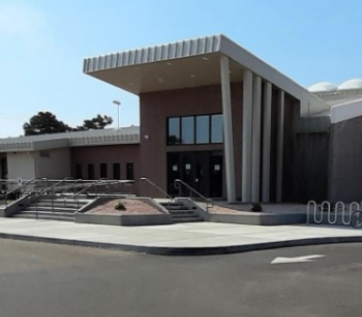
Registration for class required. Open to ages 18+
Free
-
30-minute, one-on-one instruction sessions are available for assistance with introductory software, creating email accounts, downloading eBooks and eAudiobooks, résumé development, online job applications, and more. Tutoring check-in is at the reference desk. Registration is required for all sessions. Register by calling 928-213-2331 or visiting the reference desk at the downtown library to check session availability.
Free
|
4 events,
-
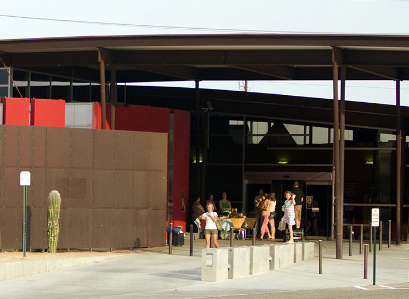
urso de computación básica en español! Este curso proporcionará habilidades informáticas básicas, como abrir un navegador web, realizar búsquedas en Internet, usar el correo electrónico y practicar medidas básicas de seguridad informática. Esta es la segunda sesión del curso básico, como tál es una continuación del curso. Las clases se impartirán totalmente en español para que...
Free
-
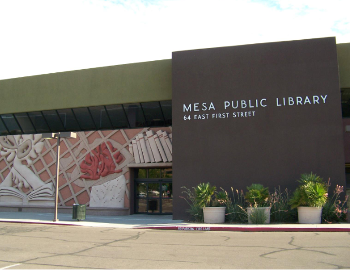
Pre-requisite: A working knowledge of how to use a computer mouse and keyboard. If you are new to the computer then Computer Basics is the place to start. This week we will continue to learn the basics of Microsoft Excel. Laptops and mice are provided to the first 11 persons. You are more than welcome...
Free
-
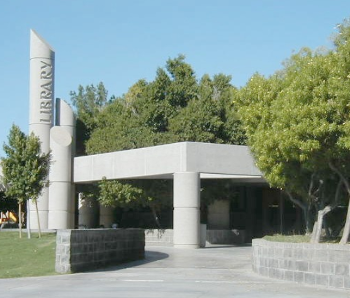
Mesa librarians will help you navigate several online learning platforms for technology so that you can improve your computer skills at your own pace and on your own time.
Free
|
1 event,
-
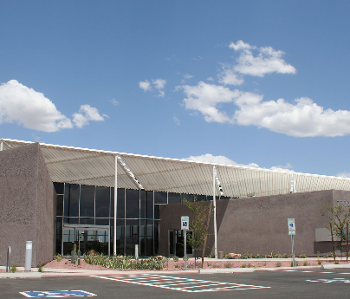
If using your computer still feels like a challenge, don't worry! Remember that learning how to use your computer will take time and practice. As you gain more experience, you'll start to feel more confident and comfortable with your computer. There are also several online resources you can use to learn more about your computer...
Free
|
0 events,
|
0 events,
|
0 events,
|
1 event,
-
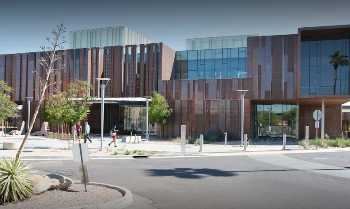
No computer experience required. Learn how to use a mouse and keyboard. Free tickets are available at the Service Desk 15 mintues before class. The computer lab is located on the 1st floor near the Teen section.
Free
|
0 events,
|
1 event,
-
Pre-requisite: A working knowledge of how to use a computer mouse and keyboard. If you are new to the computer then Computer Basics is the place to start. This week we will learn the basics of the Internet - different browsers that can be used, the different parts of a website, and how to navigate...
Free
|
0 events,
|
0 events,
|
1 event,
-

New to computers or want to sharpen your tech skills? Join high school student Faraz for Device Advice, a hands-on program designed to help you navigate the digital world with...
Free
|
0 events,
|
1 event,
-
Learn the basics of using Gmail. Students must be familiar with using a mouse and keyboard. Free tickets are available at the Service Desk 15 minutes before class. The computer training room is located on the 1st floor near the Teen section.
Free
|
1 event,
-
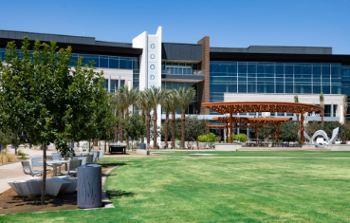
Get hands-on experience with AI! In this interactive session, we'll build on the basics of AI and focus on prompt engineering - the art of asking the right questions to get the best results. In small groups, you'll work together to craft and test prompts, learning how to get the most out of AI tools....
Free
|
3 events,
-
Mesa librarians will help you navigate several online learning platforms for technology so that you can improve your computer skills at your own pace and on your own time.
Free
-
Pre-requisite: A working knowledge of how to use a computer mouse and keyboard. If you are new to the computer then Computer Basics is the place to start. This week we will continue to learn the basics of Microsoft Excel. Laptops and mice are provided to the first 11 persons. You are more than welcome...
Free
-

In this session, we will discuss when to use Direct Lake and explore best practices for utilizing this capability in MS Fabric. We will also cover strategies to maximize its effectiveness. As a Subject Matter Expert, I will share my experiences and lessons learned from implementing Direct Lake for clients with large-scale data use cases....
Free
|
0 events,
|
1 event,
-
Are you confused about how to quickly dial 911 on your iPhone? In this presentation, you will learn everything you need to do to easily call emergency services. You will also learn how to eliminate confusing Apps and focus on the essentials.
Free
|
0 events,
|
0 events,
|
2 events,
-
Students must be familiar with using a mouse and keyboard. It is recommended students already have a Google account. Set up a document using options on the menu bar. Learn how to save and to open a file. Free tickets are available at the Service Desk 15 minutes before class. The computer training room is...
Free
-
This class will teach entry-level computer skills. Participants will learn how to open a web browser, navigate internet searches, access and use email, basic computer safety, and more!
Free
|
3 events,
-
En esta clase aprenderás a usar Canva, una herramienta gratuita en línea para crear contenido visual de forma sencilla y rápida. Aprenderás a crear: Publicaciones para redes sociales Volantes para eventos o promociones Invitaciones para fiestas, reuniones o eventos especiales Tarjetas de presentación Ideas prácticas sobre colores, tamaños de letra, y cómo organizar los elementos para...
Free
-
Lo Que Aprenderemos: Iniciar sesión Habilidades con el ratón Movimientos del teclado Unidades y archivos Interacciones de pantalla Actualización Regístrate ahora: (520) 777-7675 ext. #4 o [email protected] In partnership with the Sahuarita Food Bank’s Community Resource Center and Project Azul.
Free
-
In this course, you will learn the layout of the Excel window and tools; how to create a simple spreadsheet and enter data and use basic cell formats; how to add worksheets and copy and paste data; the basics of common formulas; how to format for printing; and much more! Prerequisite: Mouse and keyboard skills....
Free
|
2 events,
-
If you are new to the computer then Computer Basics is the place to start. This week we will learn how to use a mouse. Laptops and mice are provided to the first 11 persons. You are more than welcome to bring your own device!
Free
-
¡Curso de computación básica en español! Este curso proporcionará habilidades informáticas básicas, como abrir un navegador web, realizar búsquedas en Internet, usar el correo electrónico y practicar medidas básicas de seguridad informática. Las clases se impartirán totalmente en español para que el estudiante pueda adquirir estas habilidades en su idioma. Regístrese el primer día de...
Free
|
2 events,
-
In this workshop, you’ll learn about: Navigating Windows 10 (and 11) Using the task manager Saving and deleting files Bring your questions! We’ll have a Q & A at the end of the class. Laptops provided or feel free to bring your own!
Free
-
Coder Dojo is a weekly time when kids can come and learn how to make websites, video games, and apps. It’s informal, fun, and very interactive. Come have fun, make friends, and build cool stuff with us! No coding experience required!
Free
|
0 events,
|
1 event,
-
New to computers or want to sharpen your tech skills? Join high school student Faraz for Device Advice, a hands-on program designed to help you navigate the digital world with confidence. Each session will cover practical tips and tricks for using your device safely and effectively.
Free
|
0 events,
|
3 events,
-
Student should be familiar with using a mouse and keyboard. It is recommened that students already have a Google account. Learn the basics of this spreadsheet program. Free tickets are available at the Service Desk 15 minutes before class. The computer training room is located on the 1st floor near the Teen section.
Free
-
his class will teach entry-level computer skills. Participants will learn how to open a web browser, navigate internet searches, access and use email, basic computer safety, and more! Register on the first day of class or go to https://literacyconnects.org/computerbasics/ to register.
Free
-
30-minute, one-on-one instruction sessions are available for assistance with introductory software, creating email accounts, downloading eBooks and eAudiobooks, résumé development, online job applications, and more. Tutoring check-in is at the front desk. Registration is required for all sessions.
Free
|
4 events,
-
Crea tu propia página web En esta clase te enseñaremos paso a paso cómo usar Google Sites, una herramienta gratuita de Google ideal para presentar información, compartir enlaces o mostrar tus productos o servicios. Importante: Traer su cuenta de gmail y poder accesarla
Free
-
In this workshop, you’ll learn about: Navigating Windows 10 (and 11) Using the task manager Saving and deleting files Bring your questions! We’ll have a Q & A at the end of the class. Laptops provided or feel free to bring your own! Please note, this class is held at the Sahuarita Food Bank: 17750 S La Cañada Dr....
Free
-

Mesa librarians will help you navigate several online learning platforms for technology so that you can improve your computer skills at your own pace and on your own time.
Free
|
5 events,
-
Want to learn how to design easily? Join our Canva class. In this session, you'll discover how to create invitations and flyers. Learn the basics: choosing templates, customizing colors, adding text and images, and much more! Pre-requisite: Email account (Username & Password) ready. ¿Quieres aprender a diseñar de manera fácil? Únete a nuestra clase de...
Free
-
¡Curso de computación básica en español! Este curso proporcionará habilidades informáticas básicas, como abrir un navegador web, realizar búsquedas en Internet, usar el correo electrónico y practicar medidas básicas de seguridad informática. Las clases se impartirán totalmente en español para que el estudiante pueda adquirir estas habilidades en su idioma. Esta es la segunda sesión...
Free
-
Pre-requisite: A working knowledge of how to use a computer mouse and keyboard. If you are new to the computer then Computer Basics is the place to start. This week we will learn how to type on a keyboard. Laptops and mice are provided to the first 11 persons. You are more than welcome to...
Free
|
4 events,
-
Learn to use the basic tools and features of Windows. Previous exposure to personal computers, desktop applications and the Internet is needed.
Free
-
In this workshop, you’ll learn about: Navigating Windows 10 (and 11) Using the task manager Saving and deleting files Bring your questions! We’ll have a Q & A at the end of the class. Laptops provided or feel free to bring your own! Please note, this class is held at the Sahuarita Food Bank: 17750 S La Cañada Dr....
Free
-
Coder Dojo is a weekly time when kids can come and learn how to make websites, video games, and apps. It’s informal, fun, and very interactive. Come have fun, make friends, and build cool stuff with us! No coding experience required!
Free
|
0 events,
|
3 events,
-
In this course, you will learn how to save Microsoft Word documents. You will also learn how to print and upload documents. Space is limited; registration is required.
Free
-
30-minute, one-on-one instruction sessions are available for assistance with introductory software, creating email accounts, downloading eBooks and eAudiobooks, résumé development, online job applications, and more. Tutoring check-in is at the reference desk. Registration is required for all sessions. Register by calling 928-213-2331 or visiting the reference desk at the downtown library to check session availability.
Free
-

Start Coding at Your library! We will guide you through some fun projects showing how to build a better world through coding! This program is for 10-18 year olds. Please register!
Free
|
0 events,
|