-
Learn the foundations of Microsoft Excel - including how to create, edit, and format data in a spreadsheet.
Free


|
M
Monday
|
T
Tuesday
|
W
Wednesday
|
T
Thursday
|
F
Friday
|
S
Saturday
|
S
Sunday
|
|---|---|---|---|---|---|---|
|
0 events,
|
1 event,
-
Learn the foundations of Microsoft Excel - including how to create, edit, and format data in a spreadsheet.
Free
|
2 events,
-
Learn how to sort, filter, freeze panes, conduct basic math, and create charts. Then learn advanced Excel topics like how to create pivot tables, how to use multiple spreadsheets, and how to use absolute references, vlookup, and other techniques. Proficiency with Microsoft Excel is required.
Free
-
If you are new to the computer then Computer Basics is the place to start. This week we will continue to learn how to type on a keyboard. Laptops and mice are provided to the first 11 persons. You are more than welcome to bring your own device!
Free
|
0 events,
|
1 event,
-
In today’s world, so much of what we do has become heavily computer based: from communicating with family far away, to shopping online, finding information, and even looking for work. These classes will help prepare you to use computers in your daily life, or as you prepare to enter the workforce. No computer experience. Learn how...
Free
|
0 events,
|
0 events,
|
2 events,
-
Learn the function of a computer keyboard and how to operate a mouse. Learn basic computer functions and vocabulary. Maximum of 10 participants. Laptops and computer accessories will be provided. All classes will have take-home handouts and practice activity sheets.
Free
-
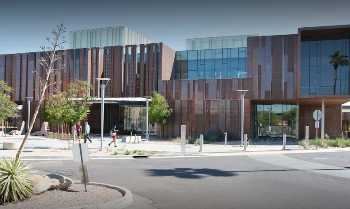
No computer experience required. Learn how to use a mouse and keyboard. Free tickets are available at the Service Desk 15 mintues before class. The computer lab is located on the 1st floor near the Teen section.
Free
|
4 events,
-

In this workshop, you’ll learn about: Navigating Windows 10 (and 11) Using the task manager Saving and deleting files Bring your questions! We’ll have a Q & A at the end of the class. Laptops provided or feel free to bring your own! Please note, this class is held at the Sahuarita Food Bank: 17750 S La Cañada Dr....
Free
-
Learn tips that will help you create documents that are readable and engaging, and make you a more efficient user of Microsoft Word This is a two-part class meeting on Tuesdays, September 9 AND September 16. Please plan on attending both sessions. Prior experience using MS Word is highly recommended, but not required You will...
Free
-
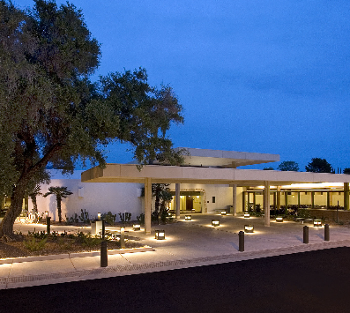
Never tried a computer before? In this class you will get to meet the computer, the keyboard, and the mouse; you will learn what they are and how to use them. This class will also introduce computer concepts, including fundamental functions and operations of the computer. No experience is necessary for you to take this relaxed,...
Free
|
5 events,
-
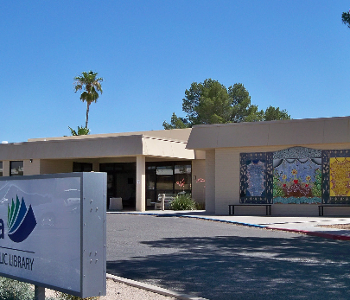
Having trouble finding what you need on the Internet? Come to this course and you will learn about: Web browsers How to search for information safely Understand Internet addresses Find entertainment Search for jobs Get tips about online shopping Create bookmarks, and more! Class will meet on two days, September 3 & 10
Free
-
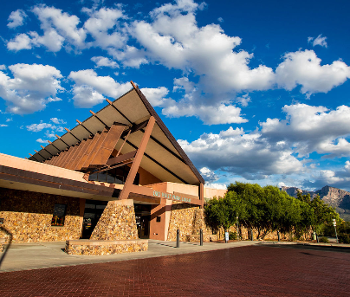
This is a two-part class, meeting on September 10 AND September 17 Please plan to attend both sessions. Learn how to become a more efficient and productive user of MS Excel. The course will be a combination of lecture, demonstration, and hands-on practice by you. Prerequisite: Prior experience using MS Excel or spreadsheet is required...
Free
-
Pre-requisite: A working knowledge of how to use a computer mouse and keyboard. If you are new to the computer then Computer Basics is the place to start. This week we will learn the basics of Microsoft Word. Laptops and mice are provided to the first 11 persons. You are more than welcome to bring...
Free
|
2 events,
-
In this workshop, you’ll learn about: Navigating Windows 10 (and 11) Using the task manager Saving and deleting files Bring your questions! We’ll have a Q & A at the end of the class. Laptops provided or feel free to bring your own! Please note, this class is held at the Sahuarita Food Bank: 17750 S La Cañada Dr....
Free
-
In this course you will learn the basic skills about the internet: Surf using Edge/ Google Bookmark and organize pages of interest Understanding the Internet addresses– URLs Understand search engines and effective search inquiries
Free
|
1 event,
-
In today’s world, so much of what we do has become heavily computer based: from communicating with family far away, to shopping online, finding information, and even looking for work. These classes will help prepare you to use computers in your daily life, or as you prepare to enter the workforce. Students must be familiar with...
Free
|
1 event,
-
In this course you will learn the basic skills about the internet: Surf using Edge/ Google Bookmark and organize pages of interest Understanding the Internet addresses– URLs Understand search engines and effective search inquiries
Free
|
0 events,
|
2 events,
-
This class is Part 1 of 2 introducing PC Windows 11. What’s an operating system? What’s a desktop? Learn about Windows 11 and how to utilize the desktop, including finding and opening files. Maximum of 10 participants. Laptops and computer accessories will be provided. All classes will have take-home handouts and practice activity sheets. Part 2: September 22
Free
-
Learn the basics of using Gmail. Students must be familiar with using a mouse and keyboard. Free tickets are available at the Service Desk 15 minutes before class. The computer training room is located on the 1st floor near the Teen section.
Free
|
0 events,
|
2 events,
-
Pre-requisite: A working knowledge of how to use a computer mouse and keyboard. If you are new to the computer then Computer Basics is the place to start. This week we will continue to learn the basics of Microsoft Word. Laptops and mice are provided to the first 11 persons. You are more than welcome...
Free
-
Join us in the Children's Place for a 2-part series where we first create a mock-up framework of a webpage. We'll walk you through a basic layout using Canva as our design studio to prepare for Thursday! This program is designed for children and teens ages 10 - 17 and their families. Participants must be able to follow instructions and...
Free
|
1 event,
-
Join us in the Children's Place for a foray into HTML coding. We will be using a preestablished template to learn how a webpage is formatted in HTML and learn the basic elementals that make a webpage function. We'll be adding pictures, text, and links to make a personalized simple webpage! This program is designed for children and teens ages...
Free
|
3 events,
-
In today’s world, so much of what we do has become heavily computer based: from communicating with family far away, to shopping online, finding information, and even looking for work. These classes will help prepare you to use computers in your daily life, or as you prepare to enter the workforce. Do you need to write...
Free
-

Using Artificial Intelligence: Unlocking the Power of A. I. Step Into Tomorrow: Learn A.I. Today. Curious about artificial intelligence but not sure where to start? Whether you're a total beginner or just want to understand what all the buzz is about, this class is your gateway to the world of A.I.
Free
-
Learn to use a computer, navigate the internet and use office programs! First come first serve, while supplies last. Aprenda a usar la computadora, navegar la red, y usar programas de oficina! Por orden de llegada, el aforo es limitado.
Free
|
2 events,
-
The Internet is a great place to shop, socialize with friends and family, bank with convenience, find entertainment, browse the news, search for jobs, and further our education. The Internet can be a safe place to do all this, if we understand and practice online safety. Join us for this class, and we will guide...
Free
-
Ready to bring your game ideas and inner computer scientist to life? Join Girls Who Code club to learn how to create fun games like Flappy Bird and Pong using Scratch! In this 4-week program, you’ll explore fundamental programming concepts such as variables, loops, and conditionals, all while building your very own interactive games. This program is designed for...
Free
|
0 events,
|
3 events,
-

In this workshop series, kids ages 9–12 are introduced to foundational coding concepts using Scratch, a block-based programming language designed to teach children how to code. No prior experience is required. Over the course of four sessions, participants will explore coding principles such as loops, conditionals, and event-driven programming through engaging, hands-on projects—including games, animations, and interactive...
Free
-
Students must be familiar with using a mouse and keyboard. It is recommended students already have a Google account. Set up a document using options on the menu bar. Learn how to save and to open a file. Free tickets are available at the Service Desk 15 minutes before class. The computer training room is...
Free
-
Mesa librarians will help you navigate several online learning platforms for technology so that you can improve your computer skills at your own pace and on your own time.
Free
|
2 events,
-
In this workshop, you’ll learn about: Navigating Windows 10 (and 11) Using the task manager Saving and deleting files Bring your questions! We’ll have a Q & A at the end of the class. Laptops provided or feel free to bring your own! Please note, this class is held at the Sahuarita Food Bank: 17750 S La Cañada Dr....
Free
-
Google Docs te permite crear, editar y compartir documentos en línea desde cualquier dispositivo. Es ideal para escribir cartas, informes, tareas o cualquier tipo de documento, además de colaborar en tiempo real con otras personas. En este curso de dos sesiones aprenderás: 23 de Sept: Crear y abrir documentos en línea. Conocer la interfaz: menús,...
Free
|
2 events,
-
Pre-requisite: A working knowledge of how to use a computer mouse and keyboard. If you are new to the computer then Computer Basics is the place to start. This week we will learn the basics of Microsoft PowerPoint. Laptops and mice are provided to the first 11 persons. You are more than welcome to bring...
Free
-
Code Club is a weekly time when kids can come and learn how to make websites, video games, and apps. It’s informal, fun, and very interactive. No coding experience necessary – come have fun, make friends, and build cool stuff with us! This is a self-taught, self-paced club; our instructors will advise and help you...
Free
|
2 events,
-
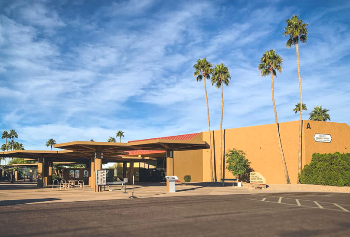
Intended for those new to computers and want support in learning basic computer actions. Topics covered: getting started with computers, controlling the computer, and finding your way around a computer.
Free
-
In this workshop, you’ll learn about: Navigating Windows 10 (and 11) Using the task manager Saving and deleting files Bring your questions! We’ll have a Q & A at the end of the class. Laptops provided or feel free to bring your own! Please note, this class is held at the Sahuarita Food Bank: 17750 S La Cañada Dr....
Free
|
2 events,
-
In today’s world, so much of what we do has become heavily computer based: from communicating with family far away, to shopping online, finding information, and even looking for work. These classes will help prepare you to use computers in your daily life, or as you prepare to enter the workforce. Do you ever feel like...
Free
-
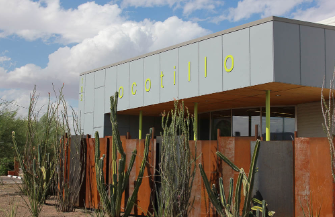
Get special seeds for plants that attract and feed monarch butterflies when you attend this storytime! Who’s it for? Children, birth to age five, and their favorite grownups What will you do? Play, read, sing, and dance with your children in a fun, active program that builds reading skills. What is your child learning? Children who love books...
Free
|
1 event,
-

Start Coding at Your library! We will guide you through some fun projects showing how to build a better world through coding! This program is for 10-18 year olds. Please register!
Free
|
0 events,
|
4 events,
-
This class is Part 1 of 2 for Internet Searching & Email Basics. What’s a web browser? What’s a search engine? Learn the components of a website and how to navigate them. Build skills to navigate the internet and get tips for conducting basic and advances searches. Maximum of 10 participants. Laptops and computer accessories will...
Free
-
Join us to learn the basics of how to use this creative design tool. Students should be familiar with using a mouse and keyboard. Free tickets are available at the Service Desk 15 minutes before class. The computer training room is located on the 1st floor near the Teen section.
Free
-
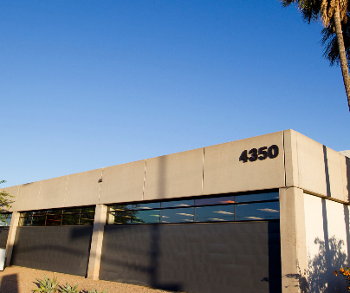
his class will teach entry-level computer skills. Participants will learn how to open a web browser, navigate internet searches, access and use email, basic computer safety, and more! Register on the first day of class or go to https://literacyconnects.org/computerbasics/ to register.
Free
|
5 events,
-
Google Slides te permite crear presentaciones visuales y profesionales en línea. Puedes usarlo para exposiciones, proyectos escolares o presentaciones de trabajo, y colaborar con otras personas en tiempo real desde cualquier dispositivo. Este curso sera impartido en dos sesiones, y aprenderás: 30 de Septiembre: Crear y abrir presentaciones en línea. Conocer la interfaz: diapositivas, menús...
Free
-

Join us to learn about the benefits and limitations of this current technology and how it might be useful, and even fun, to use in your everyday life!
Free
-
Mesa librarians will help you navigate several online learning platforms for technology so that you can improve your computer skills at your own pace and on your own time.
Free
|
4 events,
-

Ready to build your tech confidence? Join us for a monthly series where Kristi breaks down digital topics with easy to follow instructions and hands-on activities. Each session covers a...
Free
-

Are you looking for a one- on-one session to learn how to use technology better? Drop in for help to get you comfortable using an application. Basic Excel Word eBooks...
Free
-
Pre-requisite: A working knowledge of how to use a computer mouse and keyboard. If you are new to the computer then Computer Basics is the place to start. This week...
Free
|
1 event,
-
Prescott Valley Public Library will be offering a Beginning Computer Skills course. In this course, learners will be introduced to different types of computers and their parts. They will practice how to turn on and log on to a computer, as well as log off and shut off a computer properly. Learners will practice basic...
Free
|
1 event,
-
Learn to use a computer, navigate the internet, and use office programs! First come first serve, while supplies last. Aprenda a usar la computadora, navegar la red, y usar programas de oficina! Por orden de llegada, el aforo es limitado.
Free
|
2 events,
-

During this workshop, explore how to teach problem solving, creative expression, and teamwork by having students create and share content on their very own web pages. Grades 6-10 Educators October 4 | 9:00 a.m. – 12:00 p.m. CREATE at Arizona Science Center® | $25
$25
-

30-minute, one-on-one instruction sessions are available for assistance with introductory software, creating email accounts, downloading eBooks and eAudiobooks, résumé development, online job applications, and more. Tutoring check-in is at the reference desk. Registration is required for all sessions. Register by calling 928-213-2331 or visiting the reference desk at the downtown library to check session availability.
Free
|
0 events,
|