-
Student should be familiar with using a mouse and keyboard. It is recommened that students already have a Google account. Learn the basics of this spreadsheet program. Free tickets are...
Free


|
M
Monday
|
T
Tuesday
|
W
Wednesday
|
T
Thursday
|
F
Friday
|
S
Saturday
|
S
Sunday
|
|---|---|---|---|---|---|---|
1 event,
-
Student should be familiar with using a mouse and keyboard. It is recommened that students already have a Google account. Learn the basics of this spreadsheet program. Free tickets are...
Free
|
1 event,
-
Registration for class required. Open to ages 18+
Free
|
1 event,
-
Pre-requisite: A working knowledge of how to use a computer mouse and keyboard. If you are new to the computer then Computer Basics is the place to start. This week we will continue to learn the basics of Microsoft Word. Laptops and mice are provided to the first 11 persons. You are more than welcome...
Free
|
0 events,
|
0 events,
|
0 events,
|
2 events,
-

30-minute, one-on-one instruction sessions are available for assistance with introductory software, creating email accounts, downloading eBooks and eAudiobooks, résumé development, online job applications, and more. Tutoring check-in is at the front desk. Registration is required for all sessions.
Free
-
30-minute, one-on-one instruction sessions are available for assistance with introductory software, creating email accounts, downloading eBooks and eAudiobooks, résumé development, online job applications, and more. Tutoring check-in is at the front desk. Registration is required for all sessions.
Free
|
|
0 events,
|
3 events,
-
Learn the foundations of Microsoft Excel - including how to create, edit, and format data in a spreadsheet.
Free
-
Registration for class required. Open to ages 18+
Free
-
30-minute, one-on-one instruction sessions are available for assistance with introductory software, creating email accounts, downloading eBooks and eAudiobooks, résumé development, online job applications, and more. Tutoring check-in is at the reference desk. Registration is required for all sessions. Register by calling 928-213-2331 or visiting the reference desk at the downtown library to check session availability.
Free
|
3 events,
-
Learn how to sort, filter, freeze panes, conduct basic math, and create charts. Then learn advanced Excel topics like how to create pivot tables, how to use multiple spreadsheets, and how to use absolute references, vlookup, and other techniques. Proficiency with Microsoft Excel is required.
Free
-
Pre-requisite: A working knowledge of how to use a computer mouse and keyboard. If you are new to the computer then Computer Basics is the place to start. This week we will learn the basics of Microsoft PowerPoint. Laptops and mice are provided to the first 11 persons. You are more than welcome to bring...
Free
-
30-minute, one-on-one instruction sessions are available for assistance with introductory software, creating email accounts, downloading eBooks and eAudiobooks, résumé development, online job applications, and more. Tutoring check-in is at the front desk. Registration is required for all sessions.
Free
|
0 events,
|
0 events,
|
2 events,
-
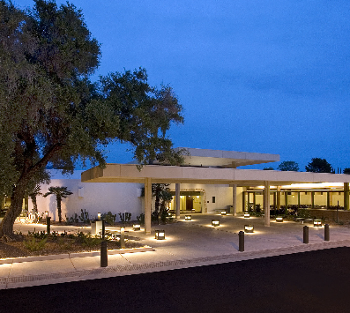
If you are new to using a computer or want to build more confidence using the Windows 10 operating system, this workshop is for you. You will learn how to find your way around Windows 10, manage applications, use the task manager, find, save, and delete files and folders, and more.
Free
-

New to computers or want to sharpen your tech skills? Join high school student Faraz for Device Advice, a hands-on program designed to help you navigate the digital world with confidence. Each session will cover practical tips and tricks for using your device safely and effectively. Session 1 (6/7): Introduction to the Computer Session 2...
Free
|
1 event,
-
30-minute, one-on-one instruction sessions are available for assistance with introductory software, creating email accounts, downloading eBooks and eAudiobooks, résumé development, online job applications, and more. Tutoring check-in is at the front desk. Registration is required for all sessions.
Free
|
5 events,
-
Mesa librarians will help you navigate several online learning platforms for technology so that you can improve your computer skills at your own pace and on your own time.
Free
-
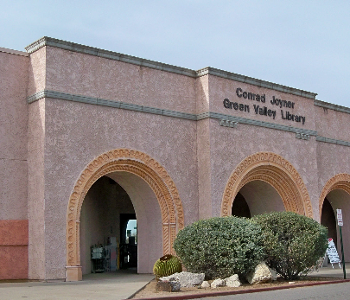
Learn the function of a computer keyboard and how to operate a mouse. Learn basic computer functions and vocabulary.
Free
-
This class will teach entry-level computer skills. Participants will learn how to open a web browser, navigate internet searches, access and use email, basic computer safety, and more!
Free
|
3 events,
-
Registration for class required. Open to ages 18+
Free
-

Mesa librarians will help you navigate several online learning platforms for technology so that you can improve your computer skills at your own pace and on your own time.
Free
-
30-minute, one-on-one instruction sessions are available for assistance with introductory software, creating email accounts, downloading eBooks and eAudiobooks, résumé development, online job applications, and more. Tutoring check-in is at the reference desk. Registration is required for all sessions. Register by calling 928-213-2331 or visiting the reference desk at the downtown library to check session availability.
Free
|
5 events,
-
30-minute, one-on-one instruction sessions are available for assistance with introductory software, creating email accounts, downloading eBooks and eAudiobooks, résumé development, online job applications, and more. Tutoring check-in is at the front desk. Registration is required for all sessions.
Free
-
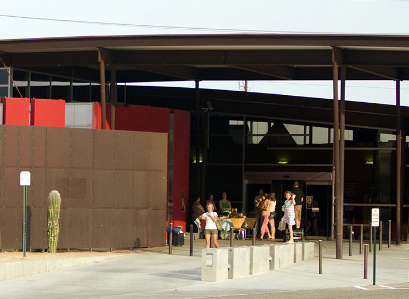
Este curso proporcionará habilidades informáticas básicas, como abrir un navegador web, realizar búsquedas en Internet, usar el correo electrónico y practicar medidas básicas de seguridad informática. Las clases se impartirán totalmente en español para que el estudiante pueda adquirir estas habilidades en su idioma. Esta es la segunda sesión de informática básica, como tal, es...
Free
-
Pre-requisite: A working knowledge of how to use a computer mouse and keyboard. If you are new to the computer then Computer Basics is the place to start. This week we will continue to learn the basics of Microsoft PowerPoint. Laptops and mice are provided to the first 11 persons. You are more than welcome...
Free
|
1 event,
-
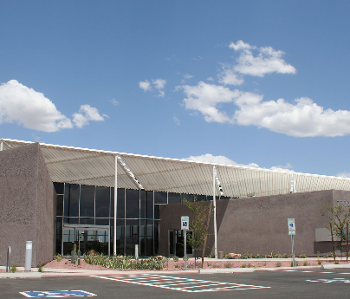
At some point, you may want to adjust your computer's settings. For example, you might want to change your desktop background or modify your Internet settings. You can change these settings and more from the Control Panel. However, in Windows 10, the Control Panel has mostly been replaced by the Settings app. The Control Panel...
Free
|
0 events,
|
1 event,
-
30-minute, one-on-one instruction sessions are available for assistance with introductory software, creating email accounts, downloading eBooks and eAudiobooks, résumé development, online job applications, and more. Tutoring check-in is at the reference desk. Registration is required for all sessions. Register by calling 928-213-2331 or visiting the reference desk at the downtown library to check session availability.
Free
|
1 event,
-
30-minute, one-on-one instruction sessions are available for assistance with introductory software, creating email accounts, downloading eBooks and eAudiobooks, résumé development, online job applications, and more. Tutoring check-in is at the front desk. Registration is required for all sessions.
Free
|
2 events,
-
30-minute, one-on-one instruction sessions are available for assistance with introductory software, creating email accounts, downloading eBooks and eAudiobooks, résumé development, online job applications, and more. Tutoring check-in is at the front desk. Registration is required for all sessions.
Free
-
30-minute, one-on-one instruction sessions are available for assistance with introductory software, creating email accounts, downloading eBooks and eAudiobooks, résumé development, online job applications, and more. Tutoring check-in is at the reference desk. Registration is required for all sessions. Register by calling 928-213-2331 or visiting the reference desk at the downtown library to check session availability.
Free
|
2 events,
-
Registration for class required. Open to ages 18+
Free
-
30-minute, one-on-one instruction sessions are available for assistance with introductory software, creating email accounts, downloading eBooks and eAudiobooks, résumé development, online job applications, and more. Tutoring check-in is at the reference desk. Registration is required for all sessions. Register by calling 928-213-2331 or visiting the reference desk at the downtown library to check session availability.
Free
|
2 events,
-
Pre-requisite: A working knowledge of how to use a computer mouse and keyboard. If you are new to the computer then Computer Basics is the place to start. This week we will learn the basics of Microsoft Excel. Laptops and mice are provided to the first 11 persons. You are more than welcome to bring...
Free
-
30-minute, one-on-one instruction sessions are available for assistance with introductory software, creating email accounts, downloading eBooks and eAudiobooks, résumé development, online job applications, and more. Tutoring check-in is at the front desk. Registration is required for all sessions.
Free
|
3 events,
-
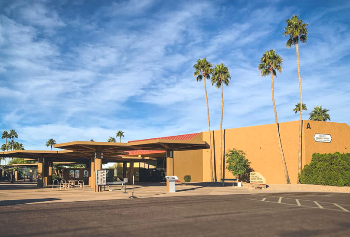
Learn how to use email, including how to send, receive, and reply to messages, organize and delete emails, and search for messages. Attendees will create an email account.
Free
-
It is easier to find, save, and open documents if related files are grouped into folders. In this course, you will learn how to create a folder for all of your different documents, and how to manage your files.
Free
-
30-minute, one-on-one instruction sessions are available for assistance with introductory software, creating email accounts, downloading eBooks and eAudiobooks, résumé development, online job applications, and more. Tutoring check-in is at the reference desk. Registration is required for all sessions. Register by calling 928-213-2331 or visiting the reference desk at the downtown library to check session availability.
Free
|
1 event,
-
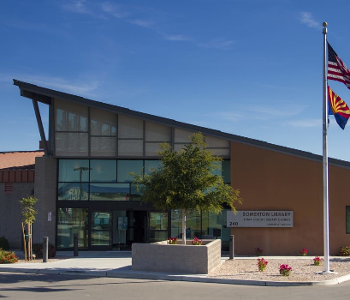
Aprenda a usar la computadora, navegar la red, y usar programas de oficina! Por orden de llegada, el aforo es limitado.
Free
|
2 events,
-
It is easier to find, save, and open documents if related files are grouped into folders. In this course, you will learn how to create a folder for all of your different documents, and how to manage your files.
Free
-
30-minute, one-on-one instruction sessions are available for assistance with introductory software, creating email accounts, downloading eBooks and eAudiobooks, résumé development, online job applications, and more. Tutoring check-in is at the reference desk. Registration is required for all sessions. Register by calling 928-213-2331 or visiting the reference desk at the downtown library to check session availability.
Free
|
1 event,
-
30-minute, one-on-one instruction sessions are available for assistance with introductory software, creating email accounts, downloading eBooks and eAudiobooks, résumé development, online job applications, and more. Tutoring check-in is at the front desk. Registration is required for all sessions.
Free
|
2 events,
-
This class will teach entry-level computer skills. Participants will learn how to open a web browser, navigate internet searches, access and use email, basic computer safety, and more!
Free
-
30-minute, one-on-one instruction sessions are available for assistance with introductory software, creating email accounts, downloading eBooks and eAudiobooks, résumé development, online job applications, and more. Tutoring check-in is at the reference desk. Registration is required for all sessions. Register by calling 928-213-2331 or visiting the reference desk at the downtown library to check session availability.
Free
|
2 events,
-
Registration for class required. Open to ages 18+
Free
-
30-minute, one-on-one instruction sessions are available for assistance with introductory software, creating email accounts, downloading eBooks and eAudiobooks, résumé development, online job applications, and more. Tutoring check-in is at the reference desk. Registration is required for all sessions. Register by calling 928-213-2331 or visiting the reference desk at the downtown library to check session availability.
Free
|
4 events,
-
urso de computación básica en español! Este curso proporcionará habilidades informáticas básicas, como abrir un navegador web, realizar búsquedas en Internet, usar el correo electrónico y practicar medidas básicas de seguridad informática. Esta es la segunda sesión del curso básico, como tál es una continuación del curso. Las clases se impartirán totalmente en español para que...
Free
-
Pre-requisite: A working knowledge of how to use a computer mouse and keyboard. If you are new to the computer then Computer Basics is the place to start. This week we will continue to learn the basics of Microsoft Excel. Laptops and mice are provided to the first 11 persons. You are more than welcome...
Free
-
Mesa librarians will help you navigate several online learning platforms for technology so that you can improve your computer skills at your own pace and on your own time.
Free
|
1 event,
-
If using your computer still feels like a challenge, don't worry! Remember that learning how to use your computer will take time and practice. As you gain more experience, you'll start to feel more confident and comfortable with your computer. There are also several online resources you can use to learn more about your computer...
Free
|
0 events,
|
0 events,
|
0 events,
|