
Join us for a series of adult-learning, computer basics classes. We will be covering a range of topics aimed at beginners, and those who need a little refresher. Each topic will be covered twice, on the second and fourth Mondays of each month. Schedule of topics will be published when finalized. Topics to be covered...
30-minute, one-on-one instruction sessions are available for assistance with introductory software, creating email accounts, downloading eBooks and eAudiobooks, résumé development, online job applications, and more. Tutoring check-in is at the front desk.
30-minute, one-on-one instruction sessions are available for assistance with introductory software, creating email accounts, downloading eBooks and eAudiobooks, résumé development, online job applications, and more. Tutoring check-in is at the reference desk.
Mesa librarians will help you navigate several online learning platforms for technology so that you can improve your computer skills at your own pace and on your own time.
30-minute, one-on-one instruction sessions are available for assistance with introductory software, creating email accounts, downloading eBooks and eAudiobooks, résumé development, online job applications, and more. Tutoring check-in is at the reference desk.
Pre-requisite: A working knowledge of how to use a computer mouse and keyboard. If you are new to the computer then Computer Basics is the place to start. This week we will learn the basics of Microsoft Word. Laptops and mice are provided to the first 11 persons. You are more than welcome to bring...
Mesa librarians will help you navigate several online learning platforms for technology so that you can improve your computer skills at your own pace and on your own time.
30-minute, one-on-one instruction sessions are available for assistance with introductory software, creating email accounts, downloading eBooks and eAudiobooks, résumé development, online job applications, and more. Tutoring check-in is at the reference desk.
Join the Digital Age with our 8 WEEK SERIES of basic, beginning computer classes for an adult audience. If the internet baffles you and you don't know what the 'e' in email stands for, this class is for you! Each week we build on skills taught the week before, and you'll be surfing the web...
Need to up your computer literacy skills? Come learn how to protect your online accounts! We will go over the basics of password management, two-factor authentication, and account recovery. While not required, participants may bring their personal device to follow along. This program is geared towards adults 55+.
This workshop will cover scam and fraud prevention, the targeting of senior citizens, and best practices and quick tips for navigating the Internet. Email and Internet basics will also be covered.
This hands-on workshop is designed for adults who want to feel more confident and in control of their personal technology. Whether you're working with a smartphone, tablet, or laptop, we're here to help in a friendly, supportive environment. Registration for class required. Open to ages 18+
If you are new to the computer then Computer Basics is the place to start. This week we will continue to learn the basics of Microsoft Word. Laptops and mice are provided to the first 11 persons. You are more than welcome to bring your own device!
Learn how to sort, filter, freeze panes, conduct basic math, and create charts. Then learn advanced Excel topics like how to create pivot tables, how to use multiple spreadsheets, and how to use absolute references, vlookup, and other techniques. Proficiency with Microsoft Excel is required.
In this class, we'll go over the basic parts of a web browser and URL so that you can navigate the internet with confidence. Familiarity with the mouse and keyboard is required.
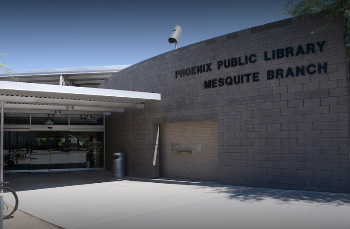
Are you looking for help with cell phones, tablets, laptop computers, or anything else that has to be plugged in? Join us at Mesquite Library for an informal session on the basics of computers and digital literacy! No prior technology experience required. One-on-one help provided. Please bring your own device/s and know your passwords. Topics change...
Join us for a series of adult-learning, computer basics classes. We will be covering a range of topics aimed at beginners, and those who need a little refresher. Each topic will be covered twice, on the second and fourth Mondays of each month. Topics to be covered include: Navigating the Internet, Email Basics, File Management...
Join the Digital Age with our 8 WEEK SERIES of basic, beginning computer classes for an adult audience. If the internet baffles you and you don't know what the 'e' in email stands for, this class is for you! Each week we build on skills taught the week before, and you'll be surfing the web...
Learn the basics of using Gmail. Students must be familiar with using a mouse and keyboard. Free tickets are available at the Service Desk 15 minutes before class. The computer training room is located on the 1st floor near the Teen section.
This hands-on workshop is designed for adults who want to feel more confident and in control of their personal technology. Whether you're working with a smartphone, tablet, or laptop, we're here to help in a friendly, supportive environment. Registration for class required. Open to ages 18+
In this class, you'll learn how to create, edit, and format typed documents using Microsoft Word. Familiarity with the mouse and keyboard is required. This class will be presented in both English and Spanish.
Confused about understanding the functions of your computer, laptop or digital devices? Look no more, as this series of lessons will teach you the ins and outs of using Email, Search Engines, Social Media, creating and saving Documents, Word, Power Point, Apps... Bring your laptop, tablet, phone, etc and we will focus on one aspect...
If you are new to the computer then Computer Basics is the place to start. This week we will learn the basics of Microsoft PowerPoint. Laptops and mice are provided to the first 11 persons. You are more than welcome to bring your own device!
In this class, we'll take a closer look at Gmail. We'll study the finer details of the inbox, look at how to write an email, and learn how to customize your Gmail. You will need a cell phone to create a Gmail account. Familiarity with the mouse and keyboard is required. This class will be presented in...
Learn how to create your own email account, step by step, and get comfortable with the basics like sending messages, attaching files, and keeping your inbox organized. All in a supportive, easy-to-follow setting. Seating is limited. Program for adults 18+
New to computers or want to sharpen your tech skills? Join high school student Faraz for Device Advice, a hands-on program designed to help you navigate the digital world with confidence. Each session will cover practical tips and tricks for using your device safely and effectively.
Join the Digital Age with our 8 WEEK SERIES of basic, beginning computer classes for an adult audience. If the internet baffles you and you don't know what the 'e' in email stands for, this class is for you! Each week we build on skills taught the week before, and you'll be surfing the web...
Students must be familiar with using a mouse and keyboard. It is recommended students already have a Google account. Set up a document using options on the menu bar. Learn how to save and to open a file. Free tickets are available at the Service Desk 15 minutes before class. The computer training room is...
This hands-on workshop is designed for adults who want to feel more confident and in control of their personal technology. Whether you're working with a smartphone, tablet, or laptop, we're here to help in a friendly, supportive environment. Registration for class required. Open to ages 18+
In this intro to email class, you'll learn how to navigate and manage Gmail with confidence. We'll discuss the basic functions of the inbox and go over how to read, write, and reply to an email. You will need a cell phone to create a Gmail account. Familiarity with the mouse and keyboard is required. This...
This is a two-part class, meeting on March 11 AND March 18 Please plan to attend both sessions. Learn how to become a more efficient and productive user of MS Excel. The course will be a combination of lecture, demonstration, and hands-on practice by you. Prerequisite: Prior experience using MS Excel or spreadsheet is required Topics include:...
If you are new to the computer then Computer Basics is the place to start. This week we will continue to learn the basics of Microsoft PowerPoint. Laptops and mice are provided to the first 11 persons. You are more than welcome to bring your own device!
Need to learn computer basics? Sign up at the library for our computer basics classes! We will cover things like, how to manage files, locate icons, and browse the internet.
People use Microsoft Word to create letters, memos, forms, reports, and labels. Learn to make edits, format text, use spell check, copy and paste text, and more in this two-part class. Prerequisite: Mouse and keyboard skills. Laptops will be provided although you are invited to bring your own if you'd like.
Join us to learn how to navigate File Explorer. We'll discuss the process of organizing, storing, and retrieving digital files. A USB flash drive is recommended. Familiarity with the mouse and keyboard is required.
Get free one-on-one help using computers, phones, and devices, as well as internet resources. Do you need other computer help? Get help with computer skills, such as Gmail, Yahoo Mail, as well as sending and storing documents. Assistance is also available with resume building, job-interview skills, and online job searching. You can also learn about...
Learn to use a computer, navigate the internet, and use office programs! First come first serve, while supplies last. Aprenda a usar la computadora, navegar la red, y usar programas de oficina! Por orden de llegada, el aforo es limitado.
New to computers or want to sharpen your tech skills? Join high school student Faraz for Device Advice, a hands-on program designed to help you navigate the digital world with confidence. Each session will cover practical tips and tricks for using your device safely and effectively.
Student should be familiar with using a mouse and keyboard. It is recommened that students already have a Google account. Learn the basics of this spreadsheet program. Free tickets are available at the Service Desk 15 minutes before class. The computer training room is located on the 1st floor near the Teen section.
Learn how to shop online safely and confidently! In this class, we will cover practical strategies to avoid scams and fraud, identify secure websites, and complete successful purchases. Topics include: How to identify secure websites (HTTPS, trusted sellers), How to read reviews and verify sellers, Steps for completing a successful online purchase, Protecting your personal...
Learn over 50 ways to improve your productivity and efficiency when using technology. Learn keyboard and mouse shortcuts, Capture screenshots, Backspace ~vs~ Delete keys, Use the Snipping Tool and Grab utility, Discover the Format Painter, Find your downloads and other "lost" files, Discover how to develop strong passwords that you can remember, Develop strategies to...
Mesa librarians will help you navigate several online learning platforms for technology so that you can improve your computer skills at your own pace and on your own time.
This workshop will cover scam and fraud prevention, the targeting of senior citizens, and best practices and quick tips for navigating the Internet. Email and Internet basics will also be covered.
Connect Tempe is excited to visit the Pyle Center to share our technology program and the many ways we can support you and your technology needs. For more information, please contact connecttempe@tempe.gov. Ages 50+
Get help with a range of topics: Job Help (Résume, online applications) Wi-Fi printing Internet and Email Saving, organizing and printing files Transferring photos Microsoft Office (Word, Excel, Publisher, PowerPoint) Downloading music, eBooks, and other library resources Basic computer, tablet, or phone use And more! *Sign up for appointment at (520) 594-5390 or come to the...
People use Microsoft Word to create letters, memos, forms, reports, and labels. Learn to make edits, format text, use spell check, copy and paste text, and more in this two-part class. Prerequisite: Mouse and keyboard skills. Laptops will be provided although you are invited to bring your own if you'd like.
Join us for Job Help & Computer Help Sessions at the Flowing Wells Library every Thursday from 1:00 PM to 3:00 PM. You can bring your own laptop, smartphone, or tablet, or use a library laptop. We provide one-on-one help with these topics: Job help: resumes, online applications, and job searching Computer basics: Windows, email, and Internet...
Mesa librarians will help you navigate several online learning platforms for technology so that you can improve your computer skills at your own pace and on your own time.
Get help with a range of topics: Job Help (Résume, online applications) Wi-Fi printing Internet and Email Saving, organizing and printing files Transferring photos Microsoft Office (Word, Excel, Publisher, PowerPoint) Downloading music, eBooks, and other library resources Basic computer, tablet, or phone use And more! *Sign up for appointment at (520) 594-5390 or come to the...
Join the Digital Age with our 8 WEEK SERIES of basic, beginning computer classes for an adult audience. If the internet baffles you and you don't know what the 'e' in email stands for, this class is for you! Each week we build on skills taught the week before, and you'll be surfing the web...
Learn how to pay your bills online safely and efficiently. In this class you will learn: How to identify official and secure bill payment websites, Step-by-step process for completing payments, Setting up automatic payments for convenience, Going paperless: electronic statements and receipts, Detecting fraudulent emails and scams, Tips for managing multiple accounts and tracking due...
Learn basic spreadsheet skills, including entering and formatting data, inserting rows and columns, creating simple formulas, hiding/unhiding sheets and freezing panes. This course is taught using Excel 2016, but techniques apply to earlier versions. Prerequisite: Proficiency in the use of computer/mouse. Space is limited, so please see a staff person 30 minutes prior to the start...
Get help with a range of topics: Job Help (Résume, online applications), Wi-Fi printing, Internet and Email, Saving, organizing, and printing files, Transferring photos, Microsoft Office (Word, Excel, Publisher, PowerPoint), Downloading music, eBooks, and other library resources, Basic computer, tablet, or phone use, And more! Obtenga ayuda en las siguientes áreas: Empleo (CV, solicitudes en...
Get help with a range of topics: Job Help (Résume, online applications) Wi-Fi printing Internet and Email Saving, organizing and printing files Transferring photos Microsoft Office (Word, Excel, Publisher, PowerPoint) Downloading music, eBooks, and other library resources Basic computer, tablet, or phone use And more! *Sign up for appointment at (520) 594-5390 or come to the...
Zoom es un servicio gratuito que le permite chatear por video con desde su computadora o dispositivo móvil. En este curso aprenderá: Programar reuniones, Invitar a las personas a sus reuniones, Chatear, Enviar reacciones, Compartir pantalla, Grabar la reunion, Agregar fondos virtuales. Requisito: Tener correo electronico y contraseña a la mano
If you are new to the computer then Computer Basics is the place to start. This week we will continue to learn the basics of Microsoft PowerPoint. Laptops and mice are provided to the first 11 persons. You are more than welcome to bring your own device!
New to computers or want to sharpen your tech skills? Join high school student Faraz for Device Advice, a hands-on program designed to help you navigate the digital world with confidence. Each session will cover practical tips and tricks for using your device safely and effectively.